Evaluating the compliance risks
Hallucinations aren’t just a quality issue, they introduce real regulatory and operational risk. In customer service, they can:
- Misrepresent policies (consumer protection risk)
- Mishandle personal data (GDPR risk)
- Trigger incorrect actions (financial or operational risk)
As AI adoption grows, these risks increasingly fall under formal governance frameworks. If you can’t explain why your AI gave a response or took an action, you can’t prove compliance.
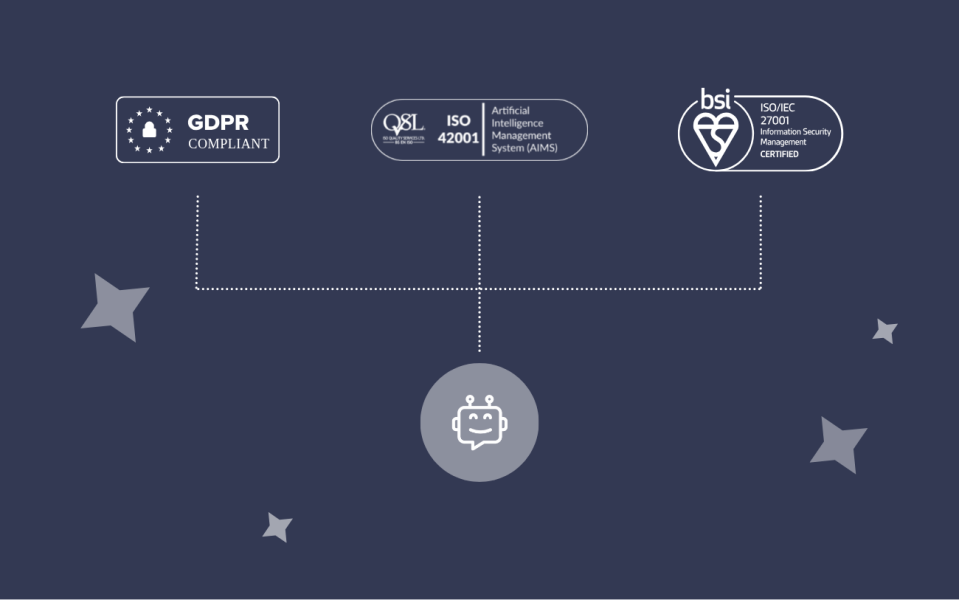
GDPR (UK/EU)
- Requirement: Handle personal data lawfully and transparently
- Risk: Incorrect or unauthorised data handling
- Controls: Restricted access, clear data boundaries, audit logs
ISO 27001 – Information Security
- Requirement: Secure systems and data against misuse
- Risk: Uncontrolled system or data access
- Controls: Least-privilege access, secure integrations, controlled actions
ISO 42001 – AI Management
- Requirement: Responsible, accountable AI operations
- Risk: Lack of oversight and auditability
- Controls: Defined responsibilities, monitoring, structured risk processes
How to prevent AI hallucinations
Preventing hallucinations is as much about system design as it is about refining your prompts and providing data access. Applying the following principles whilst you build your AI-driven CX solution will create control, and minimise failure points.
Step One: The ‘No Dead Ends’ Principle
Your AI must always have a valid next step – to send a message, connect to an external app, or escalate to a human. If it doesn’t have a strong match for one of those three courses of action, in most scenarios the AI will resort to sending a message anyway (and risk a hallucination).
In clear and practical terms, that means you need to build clear human escalation rules to fit every scenario – an escalation is the last port of call for your AI when it’s not sure how to answer. Be sure to cover:
- Customer requests for a human
- Signs of frustration or risk
- Missing or failed API data
- Specific statuses (e.g. lost, damaged orders)
- VIP or high-value scenarios
Use highly specific escalation paths for the scenarios you already know need a human – likely any scenario you’d usually escalate to a supervisor right now. Then, add a final layer of broad escalation prompts to capture the unknowns. You can’t account for every scenario, but you can identify, broadly, when customers are becoming confused. A range of carefully phrased ‘catch-all’ escalations will add a reasonably strong safety buffer for most customer interactions.
Step Two: Multi-Agent Architecture
During AI planning sessions, teams naturally gravitate toward comprehensive solutions. Vendors fuel this with impressive demos showing seamless transitions from order queries to refund processing to technical troubleshooting – all handled by a single, seemingly omniscient AI. However, this ‘Super Agent’ approach means it has access to all processes, all data, and all actions at all time. That inherently carries a greater risk for hallucination and failure. Creating a team of focused AI agents aligned to specific processes (e.g. tracking, returns, refunds) creates stronger boundaries and tighter controls.
This approach:
- Reduces ambiguity
- Improves accuracy
- Limits data exposure per agent
- Isolates high-risk actions and integrations
→ Learn more about creating AI teams
Step Three: Restrict Data & Integrations
Too much data creates confusion. AI can combine information incorrectly, leading to hallucinations. If you split your AI Agent into multiple smaller agents, you can subsequently limit access strictly to what each agent needs:
- Define exactly what data can be retrieved
- Clarify what different statuses mean
- Specify what happens when retrieval fails
Apply the principle of least privilege – meaning your AI should only have access to the minimum data and systems it needs to do its job, nothing more.
Step Four: Logging & Reporting
If you can’t see what your AI did, you can’t fix it. Basic operational reporting needs to be layered with detailed logs and debugging environments so you can investigate at the interaction-level.
You need visibility into:
- What data was retrieved
- What actions were taken
- Why decisions were made
This goes beyond performance metrics – you should be able to audit individual interactions to demonstrate compliance.
Step Five: Testing & Validation
Testing an AI solution is trickier than it sounds. Unlike traditional If-This-Then-That automations, the response from an AI can vary with the same (or similar) inputs. That is – it might answer the same question made seconds apart differently, if the documentation isn’t clear enough, because it makes decisions ‘probabilistically’. It evaluates and forms an opinion, much like a human would.
What’s more, AIs are expert conversationalists, which means each test interaction is going to read like your best human advisor has written it – so you need to look beyond the text and analyse performance against processes, and real data from your CRM. You need to deeply sense check that it’s done what it says its done – and that takes a bit of practice.
We’d recommend engaging a number of your team to test together, to truly challenge the AI and vary the phrasing of your requests just like real customers would.
Before launch, batch test:
- Real customer queries (using past interactions)
- Edge cases that typically require escalation
- Scenarios the AI shouldn’t answer
Ask:
- Does it escalate when it should?
- Is it using verified information—or guessing?
- Is it staying within scope?
Final Thoughts
AI hallucinations are almost always a symptom of gaps in system design. Eliminating them from your customer service solution hinges on this question: what should the AI do instead of answering?
If there’s no clear answer, there’s a risk of hallucination. Design your system with clear boundaries, structured exits, and full visibility, and hallucinations become far easier to control.
If you’re exploring AI for customer service and want a setup that’s controlled, auditable, and built for governance, that’s where Gnatta can help.
→ Speak to us about AI Agents for customer service