Email as a Customer Service Channel: Benefits, Drawbacks and Tips

Email is one of the most traditional customer service channels available. Here are its advantages, drawbacks and a few top tips for offering it to a high standard.

Email has stood the test of time and holds up as an integral driving force for most business communications strategies. Whether you’re considering adding it to your list of communication channels or want to know more about how it works, we’re here to give you a breakdown of its advantages, disadvantages and tips for making it work for your business.

Discover the power of email as a customer service channel by mastering the basics and implementing templates. Whether you want to unlock your business’s potential for growth or simply improve your customer service KPIs, we can help.

What is Email Customer Service?

Email customer service typically refers to the process of exchanging emails between customers and your customer service team. Normally, customers send emails containing their queries or complaints and expect your team to respond with a resolution or answer. This channel can be offered as a primary means of communication for your business, or it can be used in combination with other channels such as telephone or chatbots.

Email customer service can be offered in multiple ways. Whether your website has a contact form linked to your company’s contact centre email system, communications are redirected to email from other channels, or your email is listed somewhere on the site for customers to use, email customer service will work differently depending on the business needs and customer preferences.

Advantages of Using Email as a Customer Service Channel

Email has remained one of the most popular customer service channels for decades because of its advantages. These are as follows:

A common means of communication

It’s usually safe to assume that most people have access to an email address nowadays. Regardless of factors like age and device preferences, the availability of this communication channel keeps accessibility high for your customers since this is a fairly straightforward and traditional route. In turn, this can boost your CSAT when customers require support.

Easy to attach multimedia files

One of the main advantages of email is that it allows you to send a variety of messages and documents quickly and easily. Large files and essential documents can be attached to supplement the information provided, without requesting that customers switch platforms.

Can send emails to multiple recipients at once

Mass customer communications such as information about shipping delays or changes to your policies can easily be sent out via email. Your agents can save time and effort by crafting one email which can then be sent out to hundreds – even thousands – of customers at the same time.

Emails can be searched and saved

Provided an email contains a good subject line, it should be easy to search for. This means that when used properly, email threads won’t become lost and communications between your business and the customer can remain simple and easy. Not only this but emails can be saved for future reference. Whether they’re placed in a new folder or added to a priority list, email customer communications can be tracked and held onto with little difficulty.

Emails can be automated

Automation provides a huge boost for email customer service. Automated processes such as pre-written responses, chatbots, and email routing, can streamline customer support and reduce response times. Pre-written responses can also be created to answer frequently asked questions and help customers resolve their issues quickly.

Email support can benefit from chatbot integration since this allows your team to provide immediate customer assistance. These bots can be programmed to answer common inquiries, such as order status updates or product information. They can also provide personalised recommendations based on previous purchases or interactions. The process of email routing can also be automated to ensure that customer inquiries are directed to the appropriate support team member. This can help cut down waiting times and make sure that customers receive the help they need.

Disadvantages of Using Email as a Customer Service Channel

While email is a commonly used communication channel, it also has its drawbacks. These include the following:

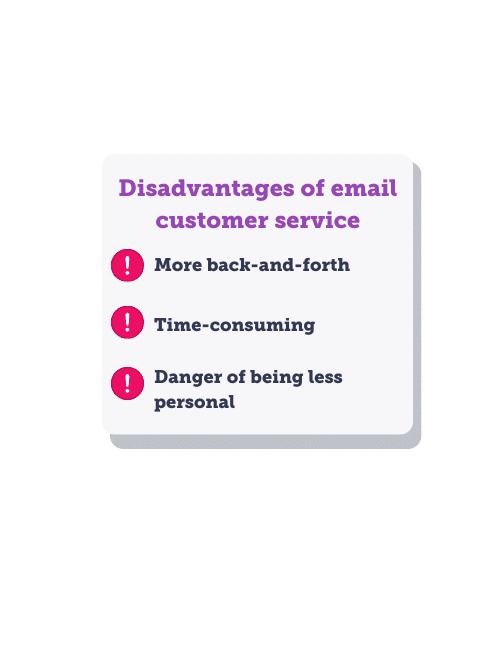
More back-and-forth

Sometimes emails can produce more back-and-forth which is frustrating and time-consuming for your team and the customer. Sometimes customers miss out key information from their original email which leads to agents asking clarifying questions to get to the root of a customer’s issue and provide a solution. This often results in several emails being sent between the team and the customer before anything can be done, which can only be made worse by the varying response times of both parties.

Time-consuming

Each email received must be read, understood and responded to with the most accurate and up-to-date information. This can all take up a lot of time and resources within your contact centre without automation tools and streamlined communication software on your side. And since customers have growing expectations for speed and accuracy, this can negatively affect your customer’s opinions of your business, too.

With that in mind, for the customer’s experience, email is inherently slow, with response times typically the slowest across the various channels. This is because brand will prioritise live channels or risk-management channels, such as social media.

Less personal than other channels

Email customer service can be less personal than other communication channels such as phone or face-to-face meetings. This is a particular problem when it comes to mass customer service emails and cookie-cutter responses where the customer is referred to by their order or reference number, rather than by name. In addition, emails can easily be misinterpreted which can lead to misunderstandings about how an issue is being dealt with. In some cases, emails can even be lost or ignored in a crowded inbox if the subject line isn’t relevant, for example.

Email Customer Service Best Practices

If you’ve never used email as a customer service channel or simply want to improve your email customer service, our tips below can help you get started.

Making sure email is right for your brand

Firstly, it may be controversial, but the first best practice may be to actually not use email at all. Customers may be best directed to more efficient channels where they can be helped faster. Email really comes into its own through the 3rd party management rather than as a customer care channel, especially with automations – for example, automatically sending a chase to the courier when a parcel is delayed etc.

However, if email is a necessity for your brand, it may be more useful to utilise a form for customers to get in touch, rather than giving an email address. This way, you can use the form to collect additional query information and minimise the back-and-forth in reaching a resolution.

Helpful tone of voice

Your brand tone of voice should shine through in any email communications. Projecting helpfulness should be a major priority alongside this since it’ll indicate to the customer that you’re there to support them above all. Offer solutions and answers as soon as you can, and if you need to ask clarification questions, tell them why that is. For example, if the customer wants to know where their order is and they’ve provided their name and the date of the order but not the order number and this is something you need to locate their order, you’ll need to tell them this. Keeping the tone friendly and helpful rather than overly formal and matter-of-fact will help the customer see that their issue is on the way to being resolved. It should also keep any frustration to a minimum.

Apologise where necessary

Apologising to customers when something goes wrong shows accountability. Respect is a huge part of customer service and since you want your business to be well received, it’s important to acknowledge when something is wrong. The most important part of the apology is to show empathy for the situation and offer a solution based on this. For example, if a customer sends an email explaining that they were unhappy with their checkout experience, it’s the responsibility of the contact centre to respond with an apology in the first instance which is personal to their experience. This is especially important for email customer service because the customer can easily be made to feel like a number, which this approach aims to avoid.

Include all relevant information

Order numbers, references, key contact details for the agent they’re speaking to and anything else relevant must be included in any email correspondence. Your customers should never need to go digging around for information and details that should be offered as standard, so check that these are included in each customer service email as needed. However, it’s equally as important not to bombard customers with too much information that could cloud the main message, so check that what’s included is necessary.

Use a professional & clear structure

Professionalism and clarity must be upheld in email communications with customers. Try to avoid informal language or slang (unless it fits your brand’s tone of voice) and – above all -ensure your message is simple and easy to understand. A well-organised structure can be the easiest way to achieve this. Start by addressing the customer, then by directly responding to their question or issue. You can then add further explanation or ask follow-up questions before finishing by reiterating the main point and directing the customer to other communication routes if necessary.

Send emails from a professional company email address

Outbound customer service emails from your contact centre should be sent from professional company email addresses rather than personal emails. Any email address that’s not easily identifiable for the customer might be ignored or viewed as spam, which can lead to a breakdown in communication and unhappy customers who think they’ve been forgotten. Instead, set up a common address or ensure each representative has their own identifiable email address linked to the business.

Be personal

It’s important to maintain a human touch in customer service, regardless of the channel used. In the case of emails, it’s recommended that your team adds personal touches wherever possible.

Each customer should be greeted by name at the beginning of the email using the details provided in their original email. Additionally, each email should be signed off with the name of the representative who wrote the response, alongside a brief signature including their title. This makes it easier for the customer to continue the conversation with you if they choose to do so.

Provide quick responses

Now, this doesn’t necessarily mean that you must reply to each email with a personal response or a solution within minutes of it being received. But since most customers will have their emails on hand throughout the day, they’ll expect some form of response to appear fairly quickly.

We recommend offering an automated reply service which acknowledges that your team has received the email and offers a timeframe for when they should expect a response. This should be within 24 hours but can often be longer during busy periods.

Remain solutions-oriented

If the customer has come to you for a solution, it’s likely that either your self-service options aren’t helpful for their situation or they’d prefer to have their issue resolved with a tailored solution. Therefore, it wouldn’t necessarily be wise to direct the customer to any resources that relate to their question or query at this stage.

Instead, take a proactive solution-based approach to provide the customer with the answer they’re looking for. Once the problem is solved, you can then mention the resources they can use in the future.
Email Templates for Customer Service Scenarios

Using email templates can be incredibly effective for many customer service scenarios. Not only do they help create uniformity for your customer service, but they can also make sure that important information isn’t left out. In addition, templates are great for implementing your brand’s tone of voice successfully.

Below are a few email template examples to help inspire your own.

Template examples

For a question

The example below offers a template response for when a customer poses a question about your products:

Hi [customer name],

Thanks for reaching out with your question regarding the sizing options available for our clothing.

The majority of our items are available in UK sizes ranging from 4 to 20, although some items can sell out quickly in popular sizes due to demand. You can filter our clothing based on your size to find the items that are currently available. If an item you like isn’t in stock in your size, you can set up an alert and we can assure you we’re hard at work behind the scenes on restocking everything.

If you have further questions, I’d be happy to assist you.

Sincerely,

[customer representative name]

[customer representative title]

For a complaint

Here, we’ll demonstrate one way to respond to a customer complaint about shipping times:

Hello [customer name],

Thank you for your recent feedback regarding your delivery experience on order [order/reference number]. We apologise that we didn’t meet your expectations on this occasion and that your item didn’t arrive within the provided time frame.

To compensate for this experience, we have updated your account to include free next-day shipping for one year. This should be active immediately.

If you have any further questions or comments, please don’t hesitate to get in touch.

Sincerely,

[customer representative name]

[customer representative title]

Utilised correctly, email can be a great addition to your customer service strategy. Whether you’re a start-up dealing with fifty customers each month or an international enterprise handling thousands of emails each day, there are great benefits for your team and your customers.

Get in touch to try our demo today and discover how email customer service fits into our omnichannel customer service packages.

Not ready for a demo?

We get it - you're just exploring your options. Sign up to our monthly newsletter updates in the meantime, and we'll keep you in the loop with new features, use cases and research in one compact email. No-strings, no obligations.